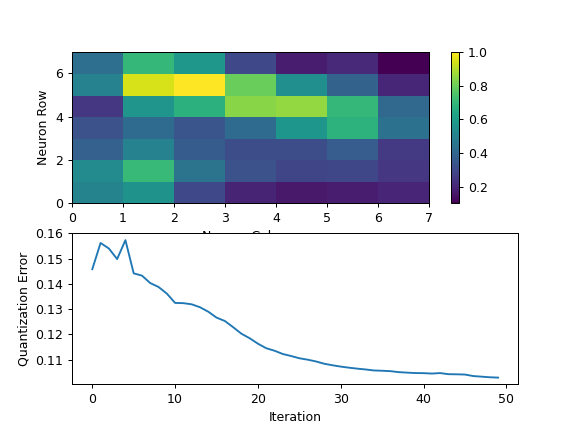
Self-Organizing Map Clustering#
Use a self-organizing map to cluster events. Often combined with a minimum spanning tree to visualize clusters.
- Name
The operation name; determines the name of the new metadata column.
- Channels
The channels to apply the clustering algorithm to.
- Scale
Re-scale the data in the specified channels before fitting.
- Consensus cluster
Should we use consensus clustering to find the “natural” number of clusters? Defaults to
True.
- Sample
What proportion of the data set to use for training? Defaults to 5% of the dataset to help with runtime.
- Iterations
How many times to update neuron weights? Defaults to
50.
- By
A list of metadata attributes to aggregate the data before estimating the model. For example, if the experiment has two pieces of metadata,
TimeandDox, setting By to["Time", "Dox"]will fit the model separately to each subset of the data with a unique combination ofTimeandDox.
Advanced parameters
- Width, Height
The width and height of the map. The number of clusters is the product of Width and Height.
- Distance
The distance measure that activates the map. Defaults to
euclidean.cosineis recommended for >3 channels.
- Learning Rate
The initial step size for updating the self-organizing map weights. Changes as the map is learned.
- Learning Rate Decay Function
How fast does the learning rate decay?
- Sigma
The magnitude of each update. Fixed over the course of the run – higher values mean more aggressive updates.
- Sigma Decay Function
How fast does sigma decay?
- Neighborhood Function
What function should be used to determine how nearby neurons are updated?
- Resamples
The number of times to attempt making consensus clusters.
- Resample Fraction
The fraction of points in the map to sample for each clustering. Defaults to 80%.
If you’d like to learn more about self-organizing maps and how to use them effectively, check out https://rubikscode.net/2018/08/20/introduction-to-self-organizing-maps/ and https://www.datacamp.com/tutorial/self-organizing-maps. The “Tuning the SOM Model” section in that second link is particularly helpful!