Linear Bleedthrough Compensation#
Apply matrix-based bleedthrough correction to a set of fluorescence channels.
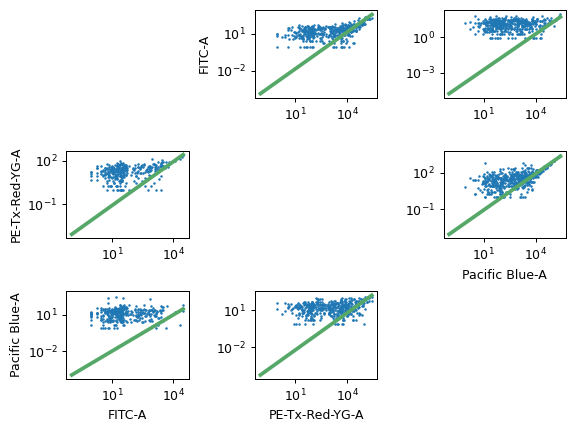
This is a traditional matrix-based compensation for bleedthrough. For each pair of channels, the module estimates the proportion of the first channel that bleeds through into the second, then performs a matrix multiplication to compensate the raw data.
This works best on data that has had autofluorescence removed first; if that is the case, then the autofluorescence will be subtracted from the single-color controls too.
To use, specify the single-color control files and which channels they should be measured in, then click Estimate. Check the diagnostic plot to make sure the estimation looks good. There must be at least two channels corrected.
You can also edit the spillover matrix directly. If you would like to set it manually, without estimating using single-color controls, you can; however, if you want to estimate it, you must provide a single-color control for each channel you are correcting.
- Add Channel, Remove Channel
Add or remove channels to be corrected.
- Spillover Matrix
The matrix of bleedthrough values, presented as a list. The matrix does not need to be symmetric, or even non-zero.
Note
You cannot have any operations before this one which estimate model parameters based on experimental conditions. (Eg, you can’t use a Density Gate to choose morphological parameters and set by to an experimental condition.) If you need this functionality, you can access it using the Python module interface.